Painting Interactively into a Canvas Python
from tkinter import *

canvas_width = 300
canvas_height = 300

def paint( event ):
   python_green = "#476042"
   x1, y1 = ( event.x - 1 ), ( event.y - 1 )
   x2, y2 = ( event.x + 1 ), ( event.y + 1 )
   w.create_oval( x1, y1, x2, y2, fill = python_green )

master = Tk()
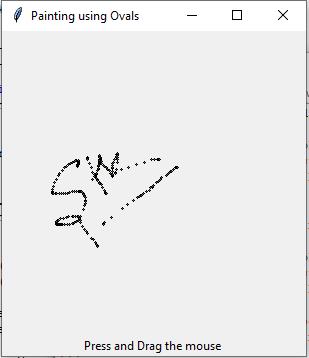
master.title( "Painting using Ovals" )
w = Canvas(master,
           width=canvas_width,
           height=canvas_height)
w.pack(expand = YES, fill = BOTH)
w.bind( "<B1-Motion>", paint )

message = Label( master, text = "Press and Drag the mouse to draw" )
message.pack( side = BOTTOM )

mainloop()
total answers (1)
start bookmarking useful questions and collections and save it into your own study-lists, login now to start creating your own collections.



 Python programming
need an explanation for this answer? contact us directly to get an explanation for this answer