
Discover
Questions library
Collections library
Find online teacher
login
Discover
questions library
Find online teacher
login
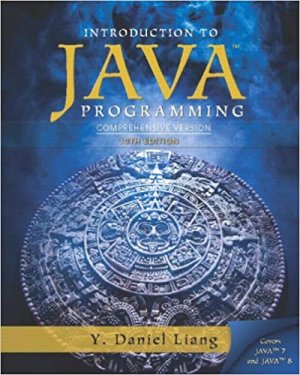
Introduction to Java Programming, Comprehensive Version (10th Edition)
by
Y. Danial liang
Edition:
10th edition
ISBN13:
978-0133761313
ISBN10:
0133761312
772
Java programming
Home
Books
Introduction to Java Programming, Comprehensive Version (10th Edition)
Similar Books
No books found
Title
Chapter: 16 /
Q: 9
(Geometry: two rectangles intersect?) Write a program that enables the user to specify the location and size of the rectangles and displays whether the two rectangles intersect, as shown in Figure 16.39b
Chapter: 16 /
Q: 10
(Text viewer) Write a program that displays a text file in a text area, as shown in Figure 16.40a. The user enters a file name in a text field and clicks the View button; the file is then displayed in a text area
Chapter: 16 /
Q: 11
(Create a histogram for occurrences of letters) Write a program that reads a file and displays a histogram to show the occurrences of each letter in the file, as shown in Figure 16.40b
Chapter: 16 /
Q: 12
(Demonstrate TextArea properties) Write a program that demonstrates the properties of a text area. The program uses a check box to indicate whether the text is wrapped onto next line, as shown in Figure 16.41a
Chapter: 16 /
Q: 13
3 (Compare loans with various interest rates) Rewrite Programming Exercise 5.21 to create a GUI, as shown in Figure 16.41b
Chapter: 16 /
Q: 14
(Select a font) Write a program that can dynamically change the font of a text in a label displayed on a stack pane
Chapter: 16 /
Q: 15
(Demonstrate Label properties) Write a program to let the user dynamically set the properties contentDisplay and graphicTextGap, as shown in Figure 16.42b
Chapter: 16 /
Q: 16
(Use ComboBox and ListView) Write a program that demonstrates selecting items in a list. The program uses a combo box to specify a selection mode, as shown in Figure 16.43a
Chapter: 16 /
Q: 17
Use ScrollBar and Slider) Write a program that uses scroll bars or sliders to select the color for a text, as shown in Figure 16.43b
Chapter: 16 /
Q: 18
Simulation: a running fan) Rewrite Programming Exercise 15.28 to add a slider to control the speed of the fan, as shown in Figure 16.43c
total questions:
772
Previous
43
44
45
46
47
Next
Questions
772
Views
Best Answers
299
Points
5
×
Close
add reason
reason